
Viewing your listings on booking sites
If you’re trying to find your property on a booking site and can’t see it, the best place to check is your Travelnest account. Searching directly on booking sites can be unreliable, as results depend on dates, filters, location, and guest settings.
Your Travelnest account shows exactly where your listing is live and lets you open each listing directly.
How to view your listings
-
Log in to your Travelnest account
-
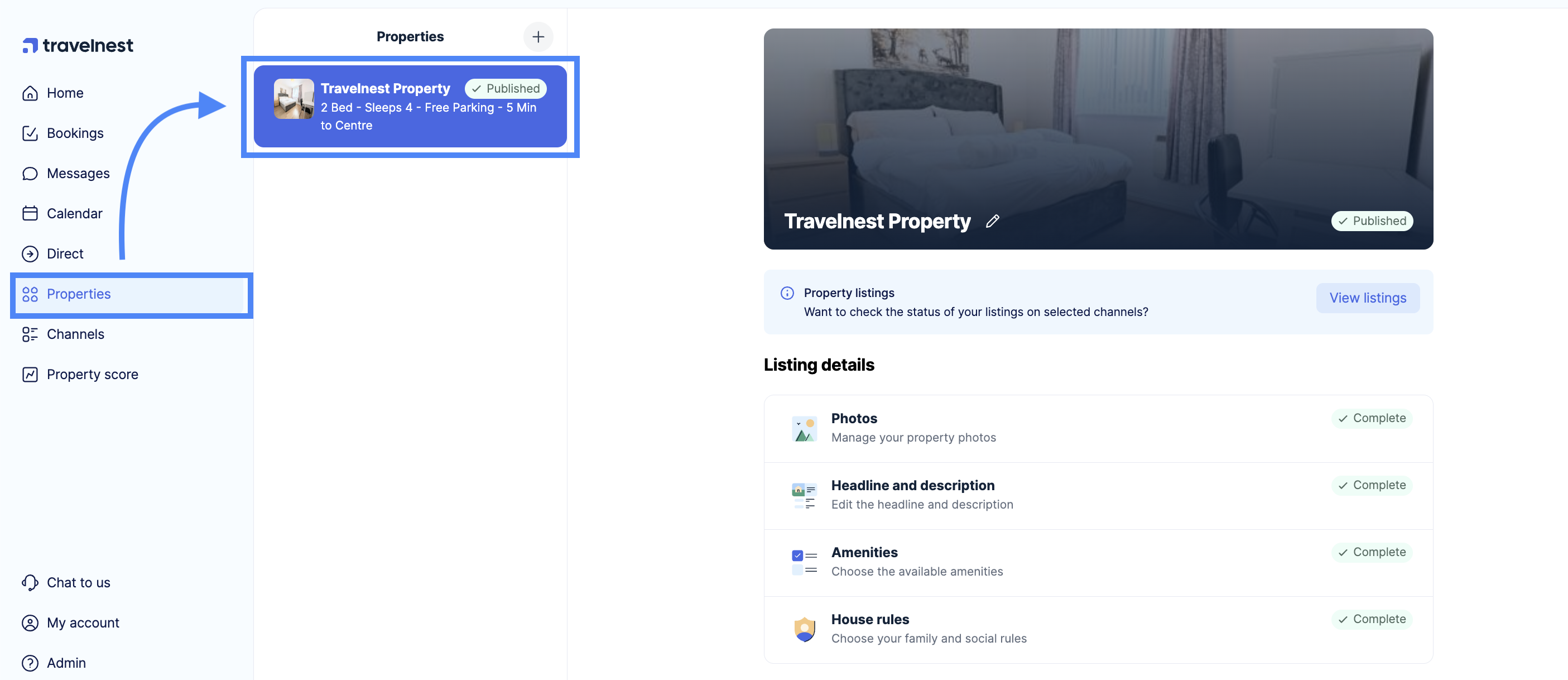
Go to Properties
-
Select the property you want to check
-
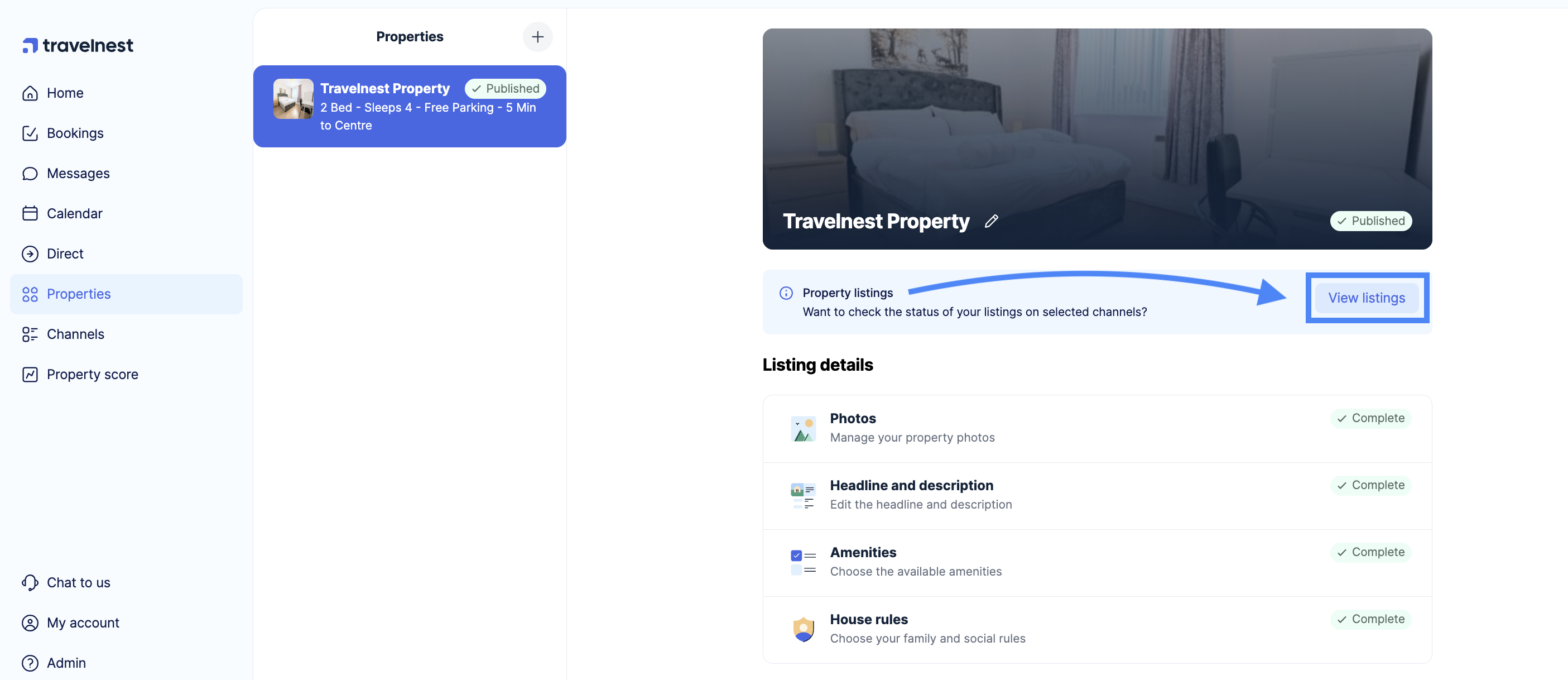
Click View listings under the property cover image
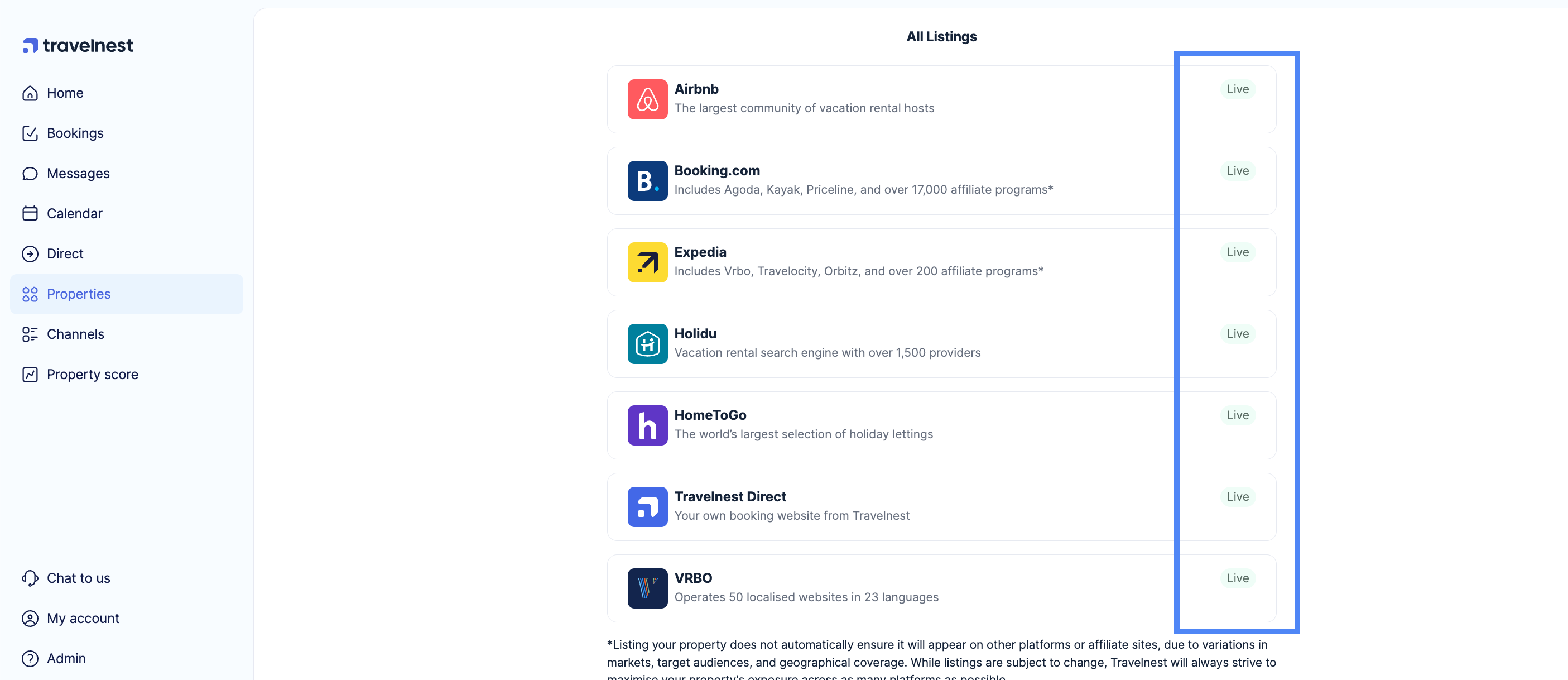
You’ll see a list of all booking sites where your property is live, along with the current status for each channel.
Where can I find my listings and view them?
- Log in to your Travelnest account.
- Select Properties from the main dashboard, then choose the property you want to see the live listings for.
- Once you select the property, you'll see the View listings option right under your cover photo. Click on that to view your listings.
- You’ll see all the booking sites where your property is currently live, along with their status. To view a specific listing, select the channel, and you’ll be taken directly to your listing on that booking platform.
Why searching on booking sites can be misleading
If you search manually on a booking site and can’t find your property, it doesn’t always mean it isn’t live. Common reasons include:
-
Dates you searched are unavailable
-
Filters are applied (price, guests, amenities, map view)
-
The listing appears further down the results
-
Affiliate sites showing limited inventory
Always check via your Travelnest account first.
If you can’t see your listing
If your property does not appear under View listings, or shows as not published on a booking site, see our guide:
Why is my listing not live on booking sites?
That article explains possible reasons and what to do next.