
What is a transferred booking?
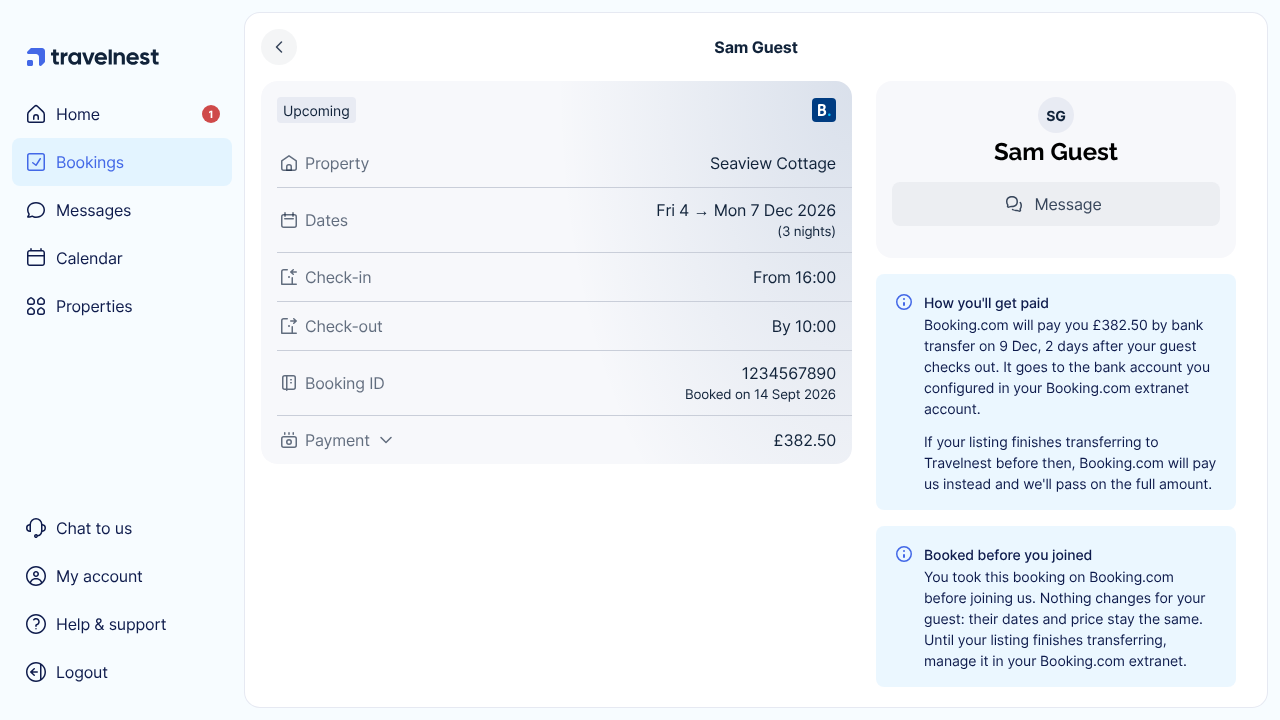
When you transfer your existing Booking.com listing to Travelnest, any bookings guests made before the transfer come with it. You’ll find them in Bookings and on your Calendar alongside your other bookings. To start a transfer, see How to transfer your Booking.com listing to Travelnest.
Nothing changes for your guests: their dates and price stay the same.
While your listing is transferring
Your listing finishes transferring once you confirm the change of ownership in your Booking.com extranet. Until then:
- You can see each booking’s dates, price and payout in Travelnest, and read your guest’s messages.
- Reply to guests, and make any changes or cancellations, in your Booking.com extranet as you do now.
Once your listing has transferred, you can message these guests from Travelnest. Contact us if you need to change or cancel one of these bookings.
How you’ll get paid
Booking.com pays you for these bookings by bank transfer after your guest checks out, on your usual Booking.com payout schedule. It goes to the bank account you configured in your Booking.com extranet account. Each booking’s page shows how much you’ll receive and when.
If your listing finishes transferring before Booking.com pays out, Booking.com pays Travelnest instead, and we pass the full amount on to you.
Does Travelnest take commission?
No. Travelnest takes no commission or fees on bookings made before you joined. Booking.com’s own commission still applies, as it did before.
Bookings guests make after your listing has transferred are Travelnest bookings, on your usual Travelnest terms.
Guest details
For bookings made before you joined, we can only show your guest’s name. To get in touch with them, use the booking’s message thread.