
It is now easier to view your guest reviews in Travelnest. You can see your review score directly from your property page and view all of your reviews in one place.
It is now easier to view your guest reviews in Travelnest. You can see your review score directly from your property page and view all of your reviews in one place. This feature is available in both the Travelnest web app and mobile app.
This feature is available in both the Travelnest web app and mobile app.
How to view your guest reviews
- Go to Properties.
- Select the property you want to view.
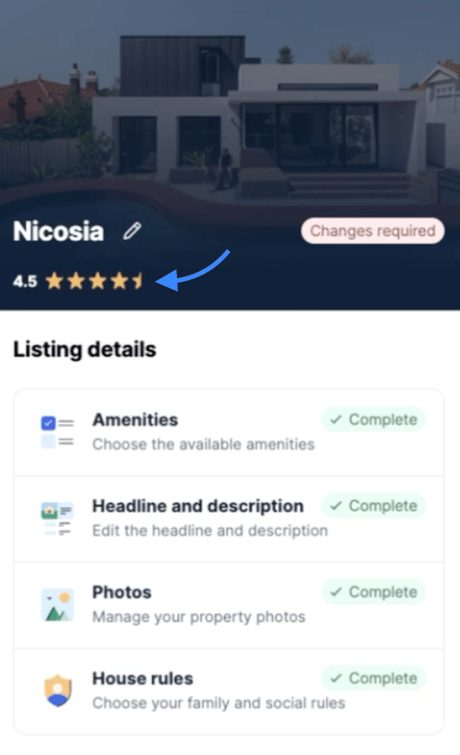
- Under your property cover photo and property name, you will now see your guest review score.
- Tap or click your review score to open the reviews drawer.
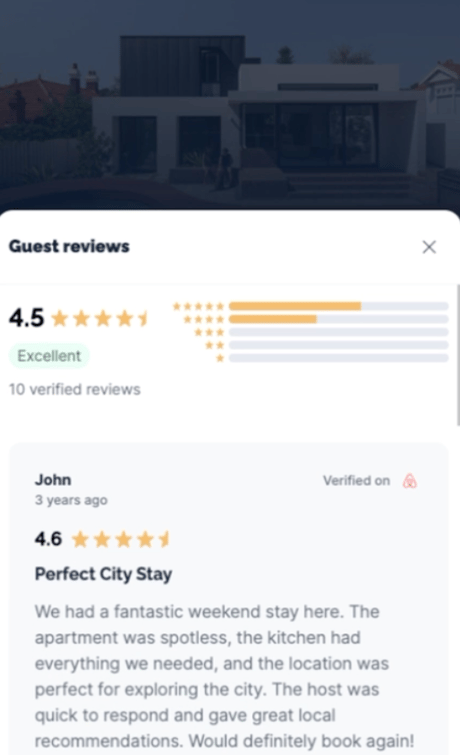
- In the drawer, you will be able to read all of your guest reviews from Booking.com and Airbnb.
What you will see
When you open the reviews drawer, your reviews are shown together in one place, making it easier to keep track of guest feedback across different booking sites.
Available on web and mobile
You can use this feature in both the Travelnest web app and the Travelnest mobile app.