
In your Travelnest account, you can quickly set or update your guest check-in and check-out times for each property.
Choosing the right times can also help make your listing more appealing. In general, the earlier your check-in time and the later your check-out time, the better this can be for guests.
A more flexible arrival and departure window can improve the guest experience and make your property stand out.
How to set or edit arrival and departure times
-
Log in to your Travelnest account and select the property for which you want to set the notice period.
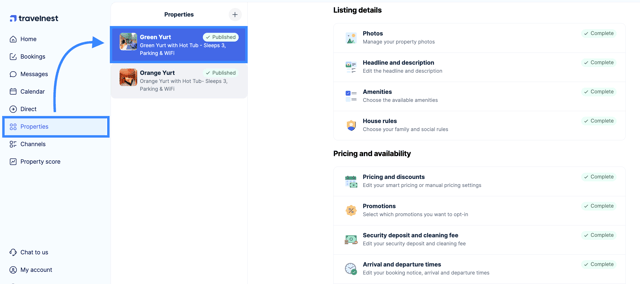
- Navigate to Pricing and Availability, then click on Arrival and departure times.
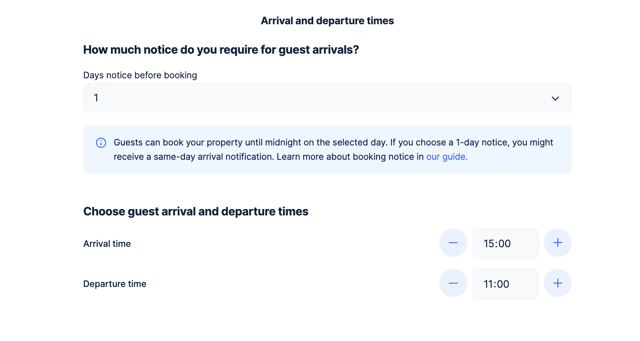
- Select the Arrival time and Departure time you want to use for your property.
- Once you’ve finished, scroll to the end of the screen and click Save changes.
Important to know
-
You should still make sure your times allow enough time for cleaning, maintenance and preparing the property between stays.
-
If your usual check-in or check-out times change, you can return to this section at any time and update them again.