
Guest reviews play an important role in how your property appears on booking sites. This guide explains how reviews work when you list through Travelnest, how to view them, and how replies are handled.
How to read your guest reviews
- Go to Properties.
- Select the property you want to view.
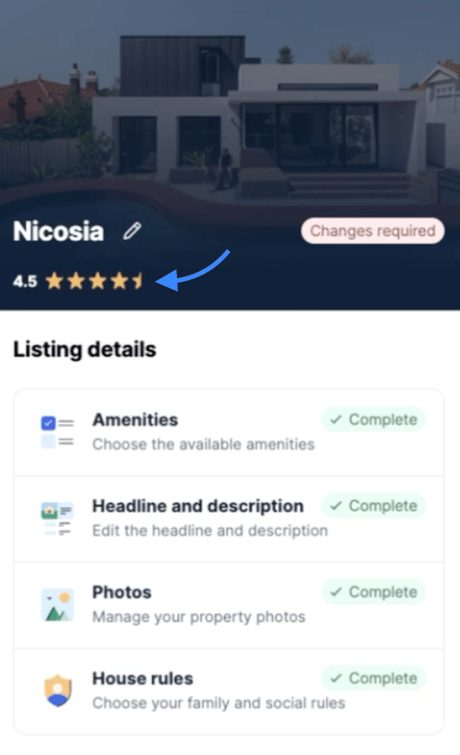
- Under your property cover photo and property name, you will now see your guest review score.
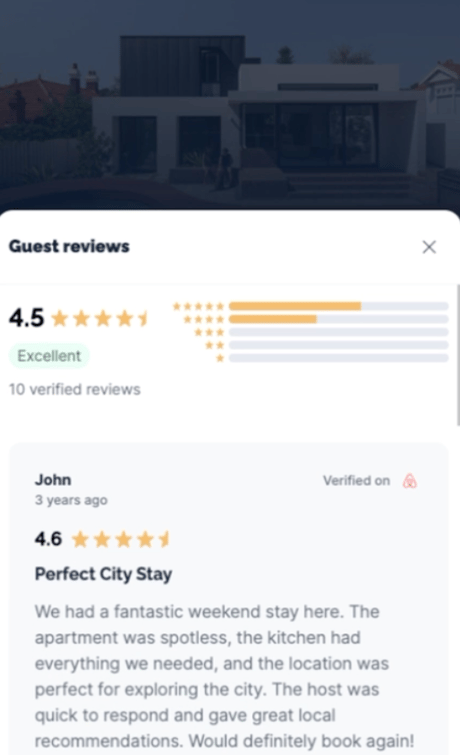
- Tap or click your review score to open the reviews drawer.
- In the drawer, you will be able to read all of your guest reviews from Booking.com and Airbnb.
Who submits and manages reviews
When you list through Travelnest, guest reviews are managed by the booking platform the guest used, such as Airbnb or Booking.com.
Hosts cannot submit reviews or replies directly on these platforms.
If you’d like to:
-
Leave a review for a guest
-
Reply to a guest review
Travelnest will submit this on your behalf.
When reviews appear
After checkout, the booking platform invites the guest to leave a review. Once submitted, the review is published according to that platform’s own rules and timelines.
Travelnest cannot control:
-
Whether a guest leaves a review
-
When a review is published
-
Whether a review is approved
Replying to a guest review
If you want to reply to a guest review, send us the exact wording you want published. We’ll submit it for you where the platform allows replies.
Replies must follow the booking platform’s content guidelines. Reviews or replies may be rejected if they include personal data, abusive language, or policy breaches.
Important to know
-
Travelnest cannot edit, remove, or block guest reviews
-
Final decisions on reviews are made by the booking platform
-
Replies are submitted exactly as provided by you
-
Review visibility and timing are controlled by the channel
If you’d like to leave a review for a guest or respond to a review, contact us and we’ll let you know what information is needed.