
What is Guest Messaging?
With Travelnest’s Guest Messaging feature, you can manage your guest communication and respond to messages and enquiries in real time.
Guest Messaging is currently available for bookings and enquiries made through Airbnb, Booking.com, Expedia and Vrbo. To use this feature, you must have a property listed on at least one of these channels through Travelnest.
Guest Messaging is not available for Holidu, HomeToGo or Sykes guests. For bookings from these channels, continue to follow the usual communication process and use the guest contact details provided in the confirmed booking email.
How to find Guest Messaging
- Log in to your Travelnest account, click on the Messages tab.
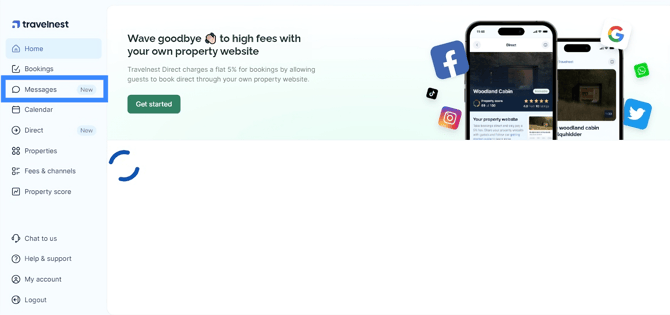
How to view all conversations
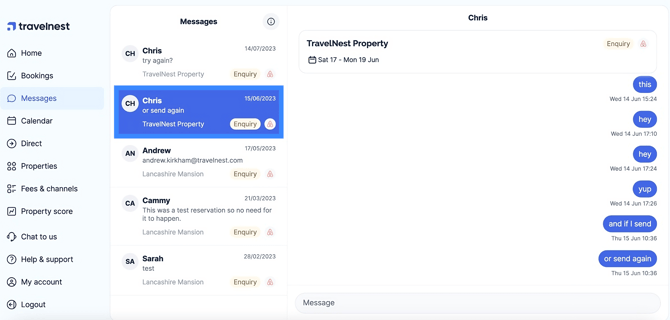
When you select Messages, you can view conversations with guests from the supported booking channels:
- To view a conversation with a guest, simply click on their name, and the conversation view will open to allow you to read and respond to messages.
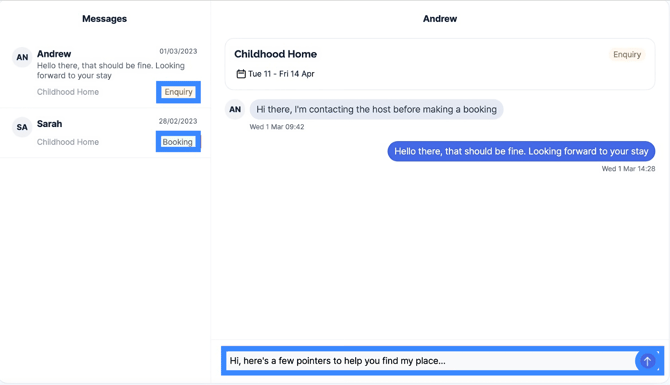
How to reply to messages from confirmed bookings or guest enquiries
To reply to a message from a confirmed booking or guest enquiry, type your message in the bar at the bottom of the conversation. Press Enter on your keyboard or select the arrow button to send it.
Messages sent before a guest books your property have an Enquiry label. If you see the Booking label, the guest has already booked your property.
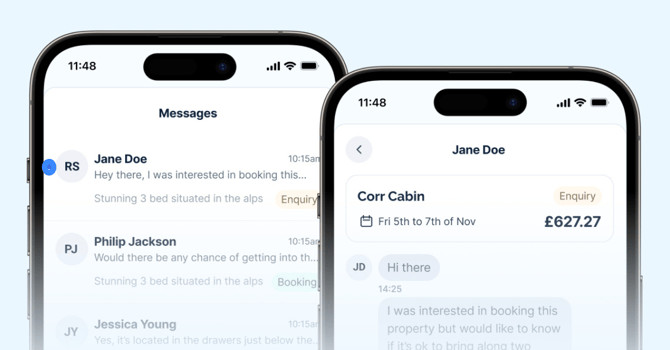
If you are on your mobile, press the back arrow icon at the top left to get back to the conversation list.
Supported booking channels
Guest Messaging currently supports the following booking channels:
- Airbnb
- Booking.com
- Expedia
- Vrbo
Frequently asked questions
How will I know if I have a message from a guest?
You will receive an email and SMS or APP notification every time you receive a new guest message from Airbnb, Booking.com, Expedia or Vrbo. Select the link in the email or SMS/Notification to go directly to Guest Messaging.
How do I check if my mobile number is correct?
You can check if we have the correct mobile number for you here.
How are messages organised and displayed for Airbnb,?
Conversations are displayed in the Messages tab. Select a guest or booking to open the conversation and view the messages.
Why is my message not sending?
If a message fails to send, the booking channel may have restrictions on the content you can send. For example, Airbnb may restrict certain content in pre-booking enquiries, including phone numbers, email addresses, the word WhatsApp, the word email or website names.
What happens with other Travelnest communications?
You will continue to receive emails about new bookings, modifications and cancellations.
For Airbnb, Booking.com, Expedia and Vrbo bookings, you are responsible for responding to guest queries through Guest Messaging. Communication for Holidu, HomeToGo and Sykes bookings remains unchanged.
What if I can't do something the guest is asking me?
If a guest asks about a modification, cancellation, deposit claim or discount, direct them to the booking channel where they made the booking.
Can I add templates or auto-responses?
Yes, you can now add message templates that can be scheduled to send at specific times. However, auto-responses are not currently supported. You can read our schedule messaging guide here.
Can I add photos or attachments to my messages?
For more information about attachments, read our guide here.
How can I give feedback on Guest messages?
You can complete our quick survey here.
What should I do if a guest asks me about payment?
Please ask the guest to refer to their email and call Travelnest if they need further support.