
What a booking notice period does
Your booking notice period sets the minimum amount of time between when a guest makes a booking and their arrival date.
For example, if your notice period is set to 1 day, a guest can book up until 23:59 on the day before arrival.
Booking notice periods help you:
• Ensure you have time to prepare before guests arrive
• Avoid same day bookings if you are not able to accommodate them
• Manage how far in advance guests can book
What a booking notice period does not do
A booking notice period does not:
• Create time between guest check out and the next check in
• Automatically block days between bookings
• Act as a preparation buffer between stays
How to set your booking notice period
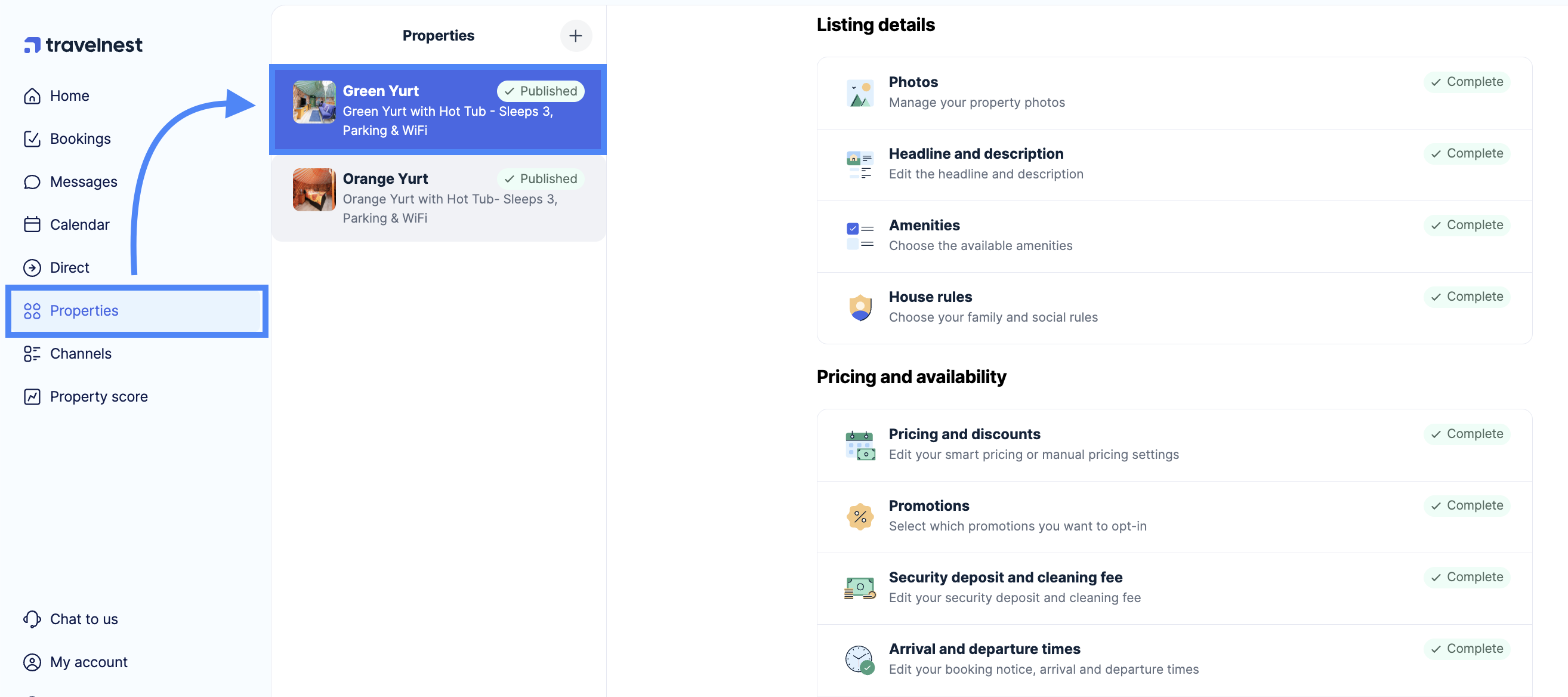
- Log in to your Travelnest account. From your home page, select the property for which you would like to set the booking notice period.
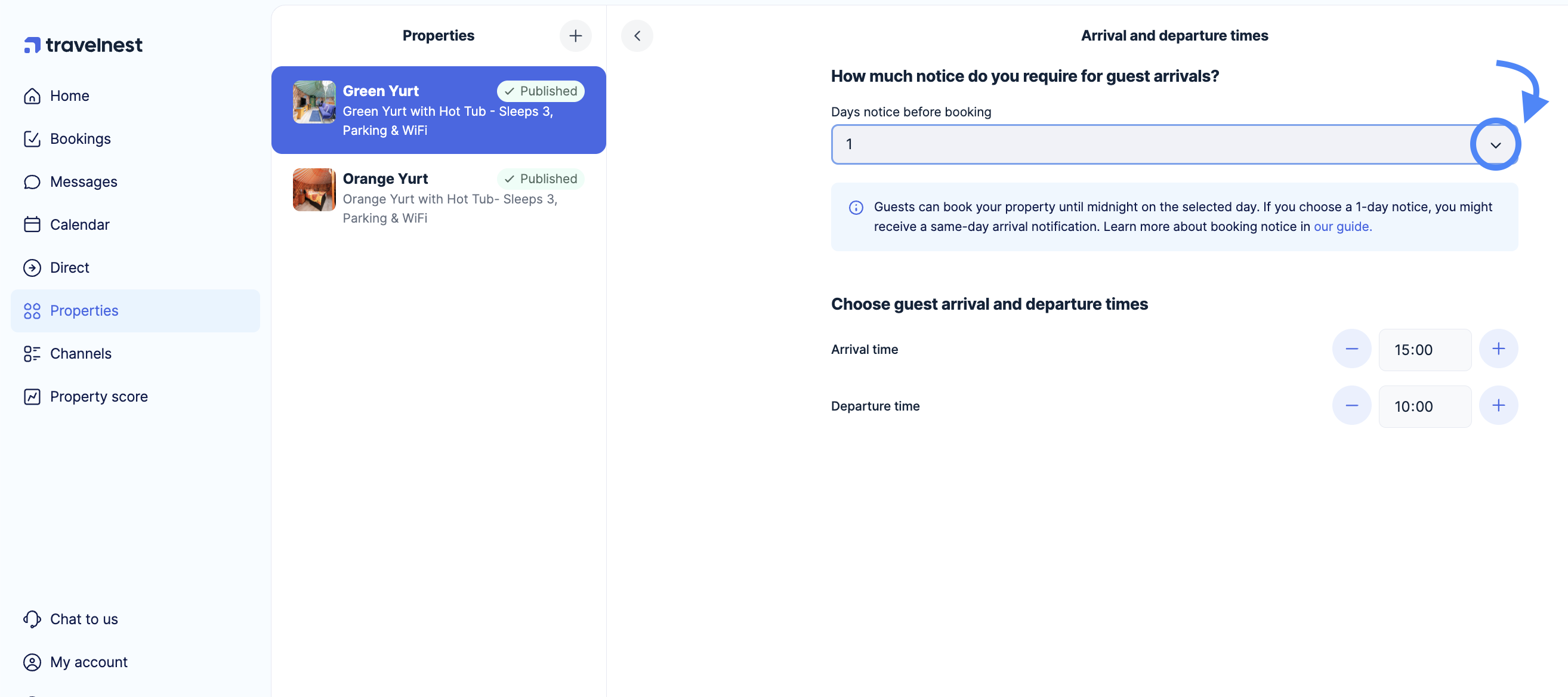
You can choose from the following booking notice periods:
• 1 day
• 2 days
• 3 days
• 7 days
How to set your booking notice period
-
Log in to your Travelnest account
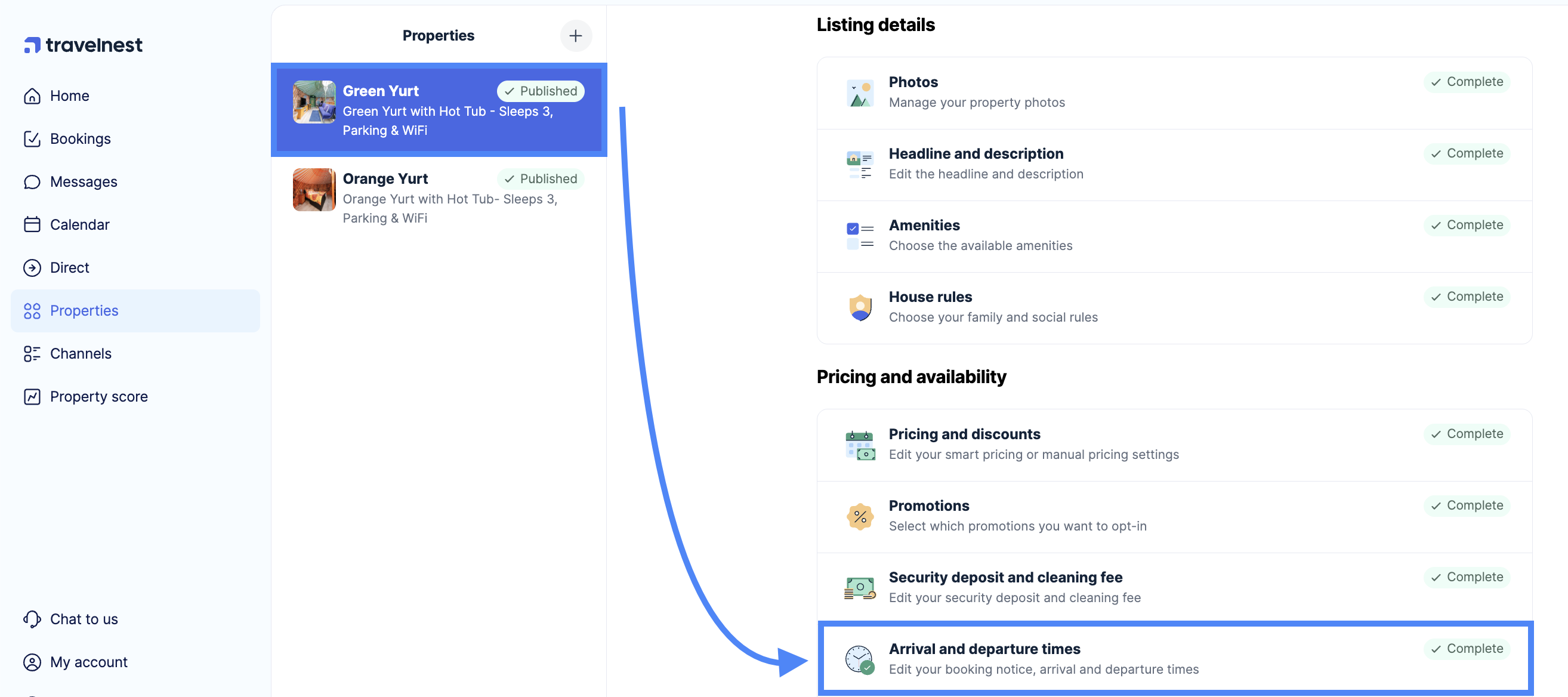
- Next, navigate to the Pricing and Availability section and click on Arrival and departure times.
- Click on the dropdown box to choose how much notice you need for guest arrivals, and then click Save changes at the bottom of the page to update your listings across booking sites.
Please note that the booking notice period operates until midnight on the day before arrival.
For example, if your notice period is set to 1 day, a guest can book at 23:59 the day before arrival.
Because booking and payment processing can take time, you may receive the confirmation on the same day the guest arrives.
Important to know
Booking notice periods operate until midnight on the day before arrival.
Because booking and payment processing can take time, you may receive a booking confirmation on the same day the guest arrives.
If you are trying to add a gap between bookings
Travelnest does not currently support automatic gaps or buffers between bookings.
If you are looking to create preparation time between guest stays, you can:
• Block dates manually in your calendar
• Review upcoming bookings and plan preparation time accordingly