Make Guest Messages More Powerful with Attachments
Make guest interactions smoother with attachments in Guest Messaging.
Airbnb:
You can now easily send and receive attachments to confirmed Airbnb bookings directly in the Travelnest app or on the web. Allow guests to share their own attachments, making it easier for you to tailor their experience. Please note that you can't send or receive attachments to Airbnb enquiries.
Booking.com:
Right after booking, Booking.com guests can message you, but they can't send attachments. However, as a host, you're all set to send both messages and attachments for any confirmed bookings. And if a guest messages you first, you can also do this for unconfirmed bookings. Keep in mind that receiving attachments from Booking.com guests isn't possible due to limitations from the Booking.com channel.
Expedia and Vrbo:
You can send both messages and attachments for any confirmed Expedia or Vrbo booking, in the Travelnest app or on the web. Attachments must be a .jpg, .png or .pdf file of up to 5MB. Receiving attachments from Expedia or Vrbo guests isn't possible through Travelnest at the moment.
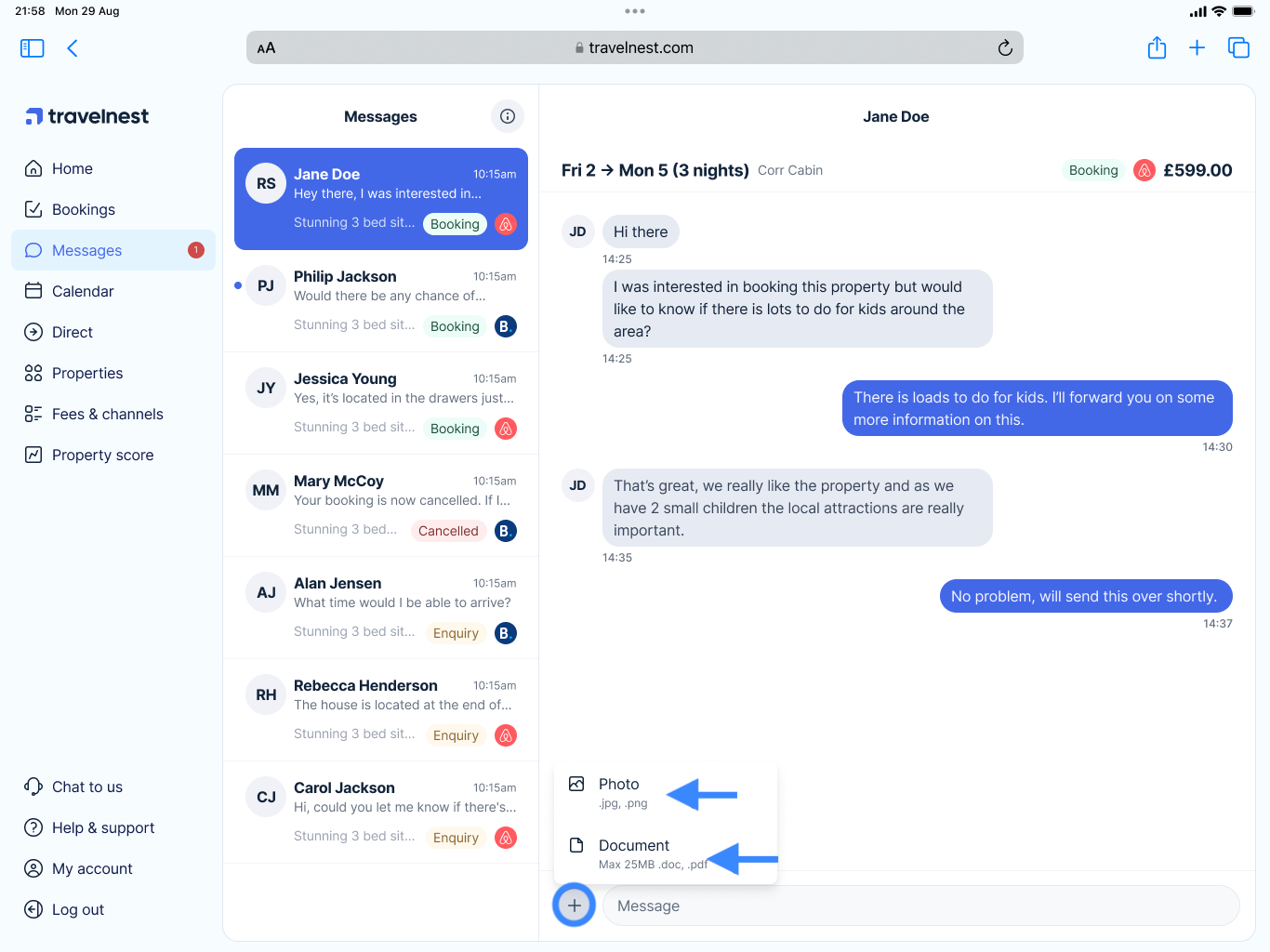
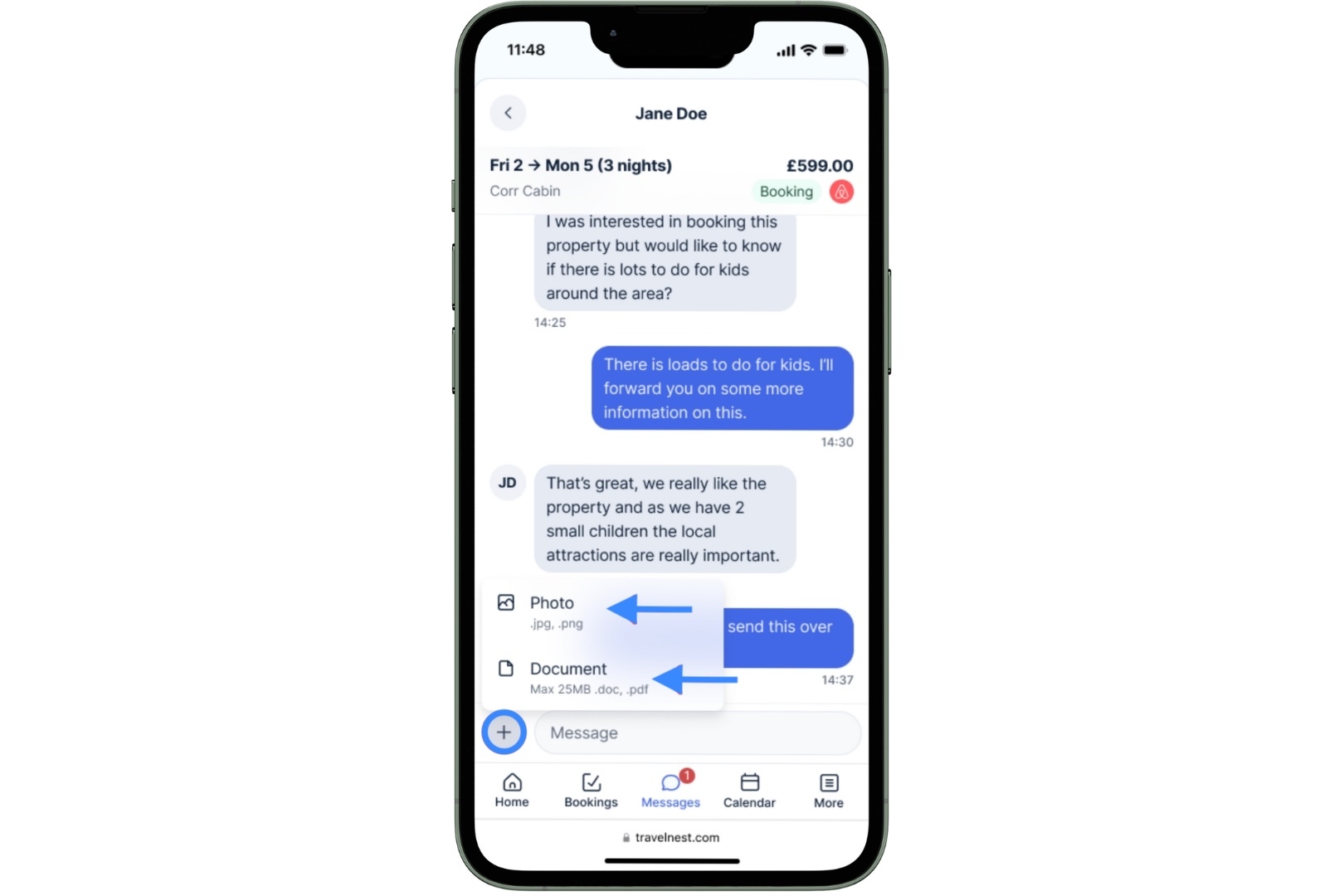
Using the ‘+’ Icon: Attach Files in Guest Messages
If you need to share images or documents, tap the '+' icon next to the message field. You will get the option to send a photo in .jpg or .png format (up to 25MB) and documents in .pdf and .doc format.
Mobile view (click on the image to enlarge)
Desktop view (click on the image to enlarge)